
Desk Screen Clamps and Fixings: Which One Do I Need?
Posted by Panelscreens on 4th Oct 2026
Posted by Panelscreens on 4th Oct 2026

Most desk screens fix to the desk with a clamp, but desks vary: some are thin, some sit on deep leg frames, some are bench desks with no back edge at all. Choosing the right fixing is the difference between a screen that fits in five minutes and one that goes back in the box. This guide explains each fixing we offer and how to pick the right one.
| Fixing | Best for | Fits | In the box |
|---|---|---|---|
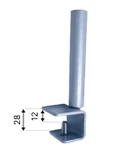 28mm Desk Clamp 28mm Desk Clamp |
Most standard office desks | Desk tops 12 to 28mm thick. Adjustable 16mm bolt | Set of 2 metal clamps. No extra cost on most screens |
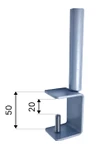 50mm Desk Clamp 50mm Desk Clamp |
Thicker desks, or clamping over a leg frame | Desk tops 20 to 50mm thick. Fixed 30mm bolt | Set of 2 metal clamps. No extra cost on most screens |
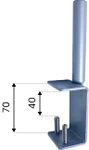 70mm Desk Clamp 70mm Desk Clamp |
Deep leg frames and heavy-duty desks | Desk tops 40 to 70mm thick. Fixed 30mm bolt | Set of 2 metal clamps. No extra cost on most screens |
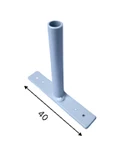 Bench Bracket Bench Bracket |
Back-to-back bench desks | Benches with a 30mm gap between the desk tops. The screen lines up with the underside of the desk tops | Set of 2 metal brackets. No extra cost on most screens |
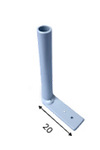 Floating Bracket Floating Bracket |
Desks with monitor arms | Fixes under the desk top. Leaves room for monitor arm clamps | No extra cost on most screens |
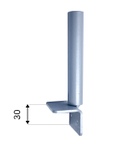 30mm Side Fixing 30mm Side Fixing |
Fixing to a pedestal or cupboard | Where there is only a small gap. Fixes to the side of a pedestal, cupboard or desk end | No extra cost on most screens |
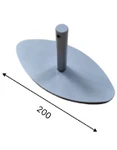 Freestanding Feet Freestanding Feet |
When you cannot clamp to the desk | Stands on any desk top. Foot base W200 x D100mm, 100mm spigot | Set of 2 metal feet. Extra cost per screen, ex VAT |
Not sure which fits? Send us a photo of the back of your desk and we will tell you.
Measure the thickness of the desk top at the back edge, where the screen will go. If there is a metal frame or modesty panel running along the back, measure the desk and frame together, because the clamp needs to fit over both. Then pick the clamp whose range covers that number.
Our standard fixing. It fits desk tops 12 to 28mm thick, which covers most office desks, and has an adjustable 16mm bolt. Supplied as a set of two metal clamps.
For thicker desks, or where the clamp has to reach over a leg frame. The 50mm clamp fits 20 to 50mm and the 70mm clamp fits 40 to 70mm. Both have a fixed 30mm bolt.
Bench desks put two desk tops back to back with a small gap between them. The bench bracket sits in a 30mm gap and holds the screen in line with the underside of the desk tops, so one screen divides both people. See our bench and desk divider screens.
If monitor arms are clamped to the back edge of the desk, there is no room for a screen clamp. The floating bracket fixes under the desk top instead and holds the screen clear of the monitor arms.
For fixing a desk screen to the side of a pedestal, cupboard or desk end where there is only a small gap to work with.
Metal feet with a W200 x D100mm base and a 100mm spigot. The screen simply stands on the desk top, with no clamping. Useful for glass desks, hot desks, or anywhere you don't want fixings. They cost +£27.99 per screen, ex VAT.
On a height adjustable desk the screen must move with the desk top, so always use a desk clamp, never freestanding feet on a separate surface. Check the clamp sits clear of the lifting columns and cables along the back edge.
Choosing sizes too? Read Desk Divider Sizes: How to Choose Height, Width and Fixings.
Measure the thickness of your desk top, plus any frame you need to clamp over. The 28mm clamp fits desk tops 12 to 28mm thick, the 50mm clamp fits 20 to 50mm and the 70mm clamp fits 40 to 70mm.
Yes. Bench brackets sit in the 30mm gap between back-to-back desk tops, so one screen divides both desks.
Yes. Choose the floating bracket, which fixes under the desk top and leaves room for monitor arm clamps.
No special tools. No special tools are needed to fit the clamps, and freestanding feet need no fixing at all.
Desk clamps and brackets are included at no extra cost on most of our screens. Freestanding feet cost +£27.99 per screen, ex VAT.
Still not sure? Send us a photo of the back of your desk and we will tell you which fixing to choose. Contact us or call 020 3995 4570.
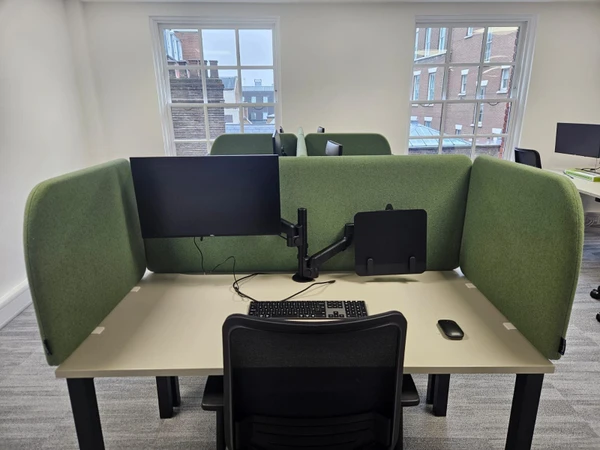 Case Study: Hush 50 Desk Screens for Totum Partners, London
 Case Study: Bespoke Acoustic Desk Screens for Vorwerk